
Custom cases built around your curriculum, in about 15 minutes.
Build a case from scratch with a guided case builder, or start from the materials your program already uses. Either way, AI handles the busywork and you stay the author.
Two ways to start.
Start from scratch
The case builder walks you through the key details: the case objective, reason for visit, patient details and behavior, diagnosis and differentials, and history. Fill in as much or as little as the case needs.
Upload what you already have
Already have a case PDF or illness script, like the one your standardized patients prepare from? Upload it, and the case builder is filled in for you to review.
You write the essentials. AI drafts the rest.
The first half of the case builder captures the key details: what the case is for, who the patient is, and what's going on with them.
From there, AI drafts the second half step by step: the opening line, review of systems, physical exam findings and diagnostic results, all consistent with your diagnosis. Review each step, change anything you like, and move on.
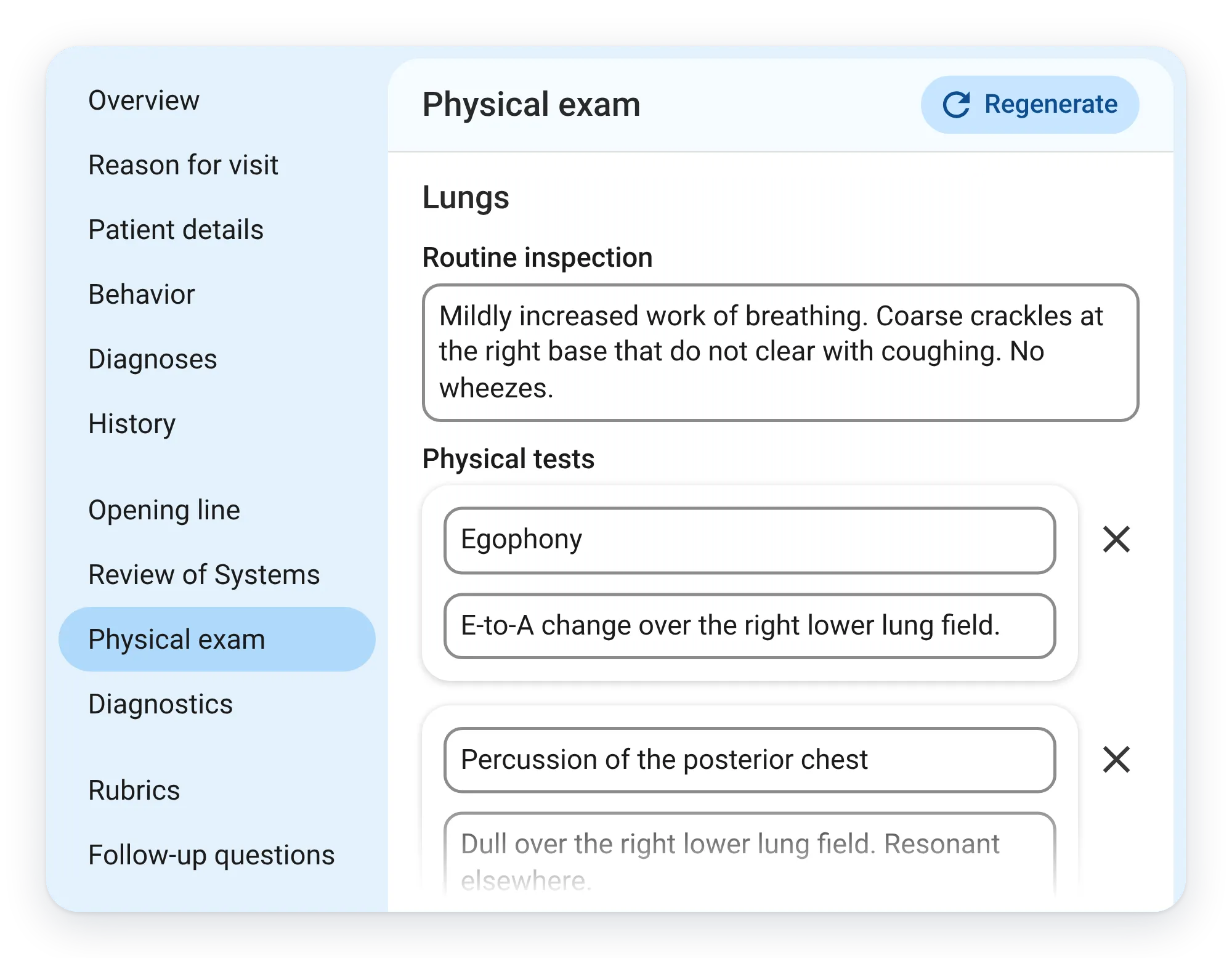
Set the goal of the case.
Turn parts of the encounter on or off to fit what you're teaching: short, focused cases for microlearning on a single skill, all the way to end-to-end encounters for a full OSCE-level simulation.
History taking
A first-year interviews a patient with three weeks of fatigue.
Focused workup
Right lower quadrant pain: a targeted history, a few key exam maneuvers, and a differential before any imaging.
Full diagnostic encounter
Chest pain from the first question to an assessment and plan, with an ECG, troponin and a chest X-ray to interpret.
Closing the loop
Diagnose new-onset type 2 diabetes, then explain the diagnosis, answer the patient's questions and agree on next steps.
Or make it about the conversation.
Give a case a conversational objective instead of, or on top of, a diagnosis: delivering bad news,
disclosing an error, a goals-of-care conversation, or counseling. Build it as a standalone
conversation or as the final part of a larger case.
More on communication skills
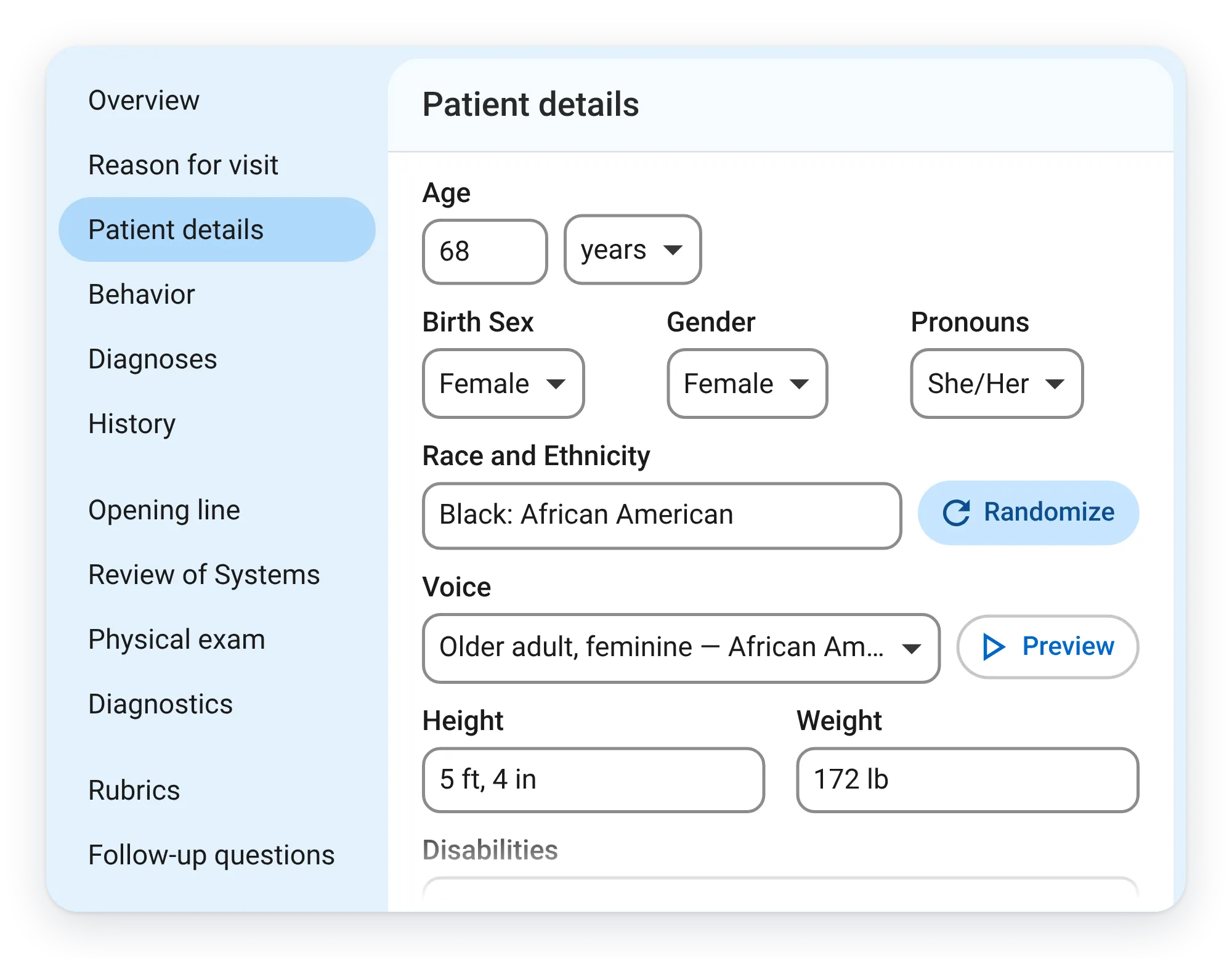
Patients learners might not meet on rotation.
What learners see in clinic depends on where they train. In Sapient Clinician, you decide who the patient is, so every learner practices with the range of people they'll care for.
- Patients of any age, sex, background or demographic
- A range of voices for voice encounters
- Patients with disabilities
- Social history and social determinants of health
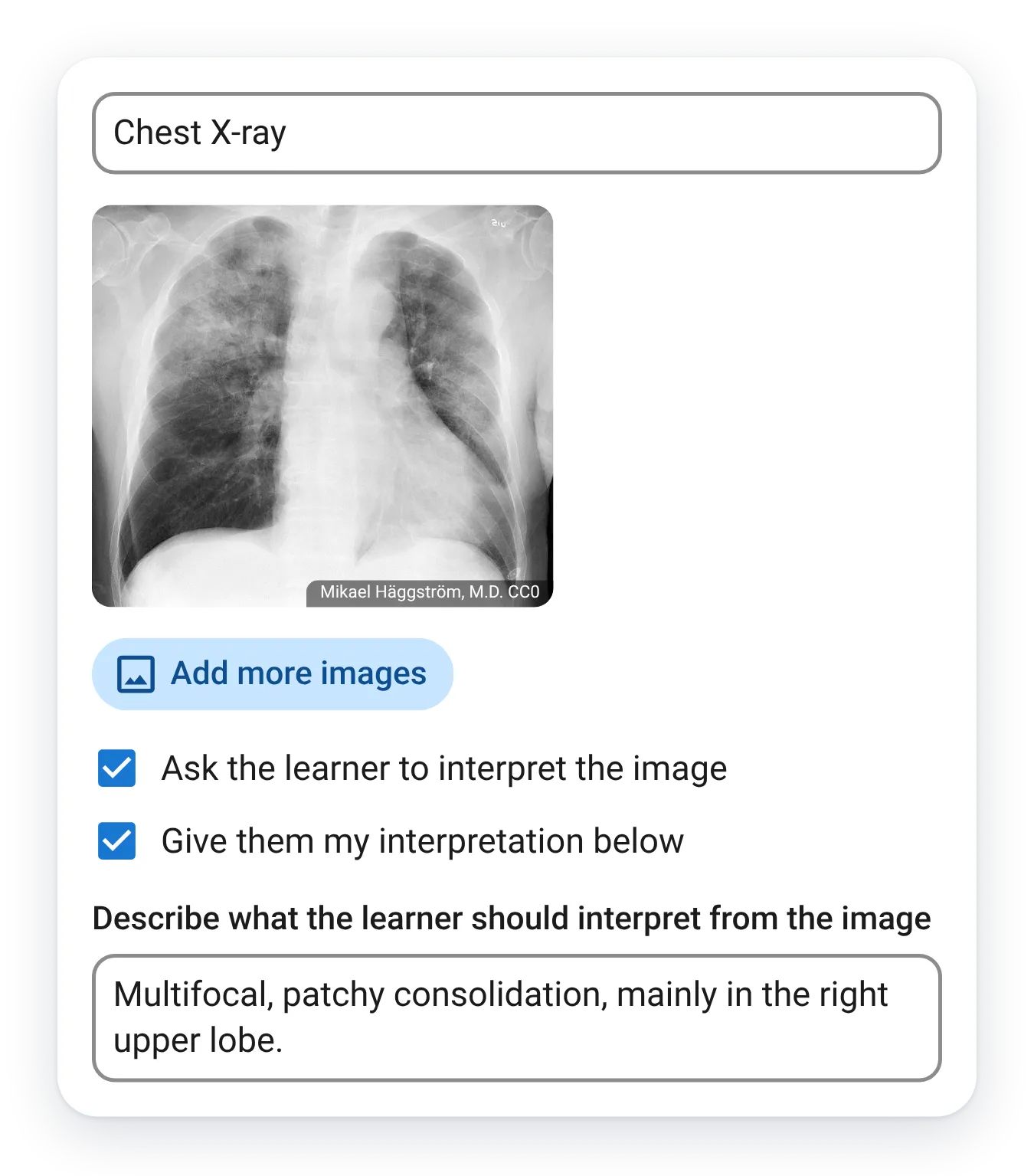
Add images where interpretation matters.
Attach images to any physical exam test or diagnostic, like a chest X-ray, an ECG strip or a photo of a rash.
You can ask learners to interpret the image themselves before they see the intended reading.
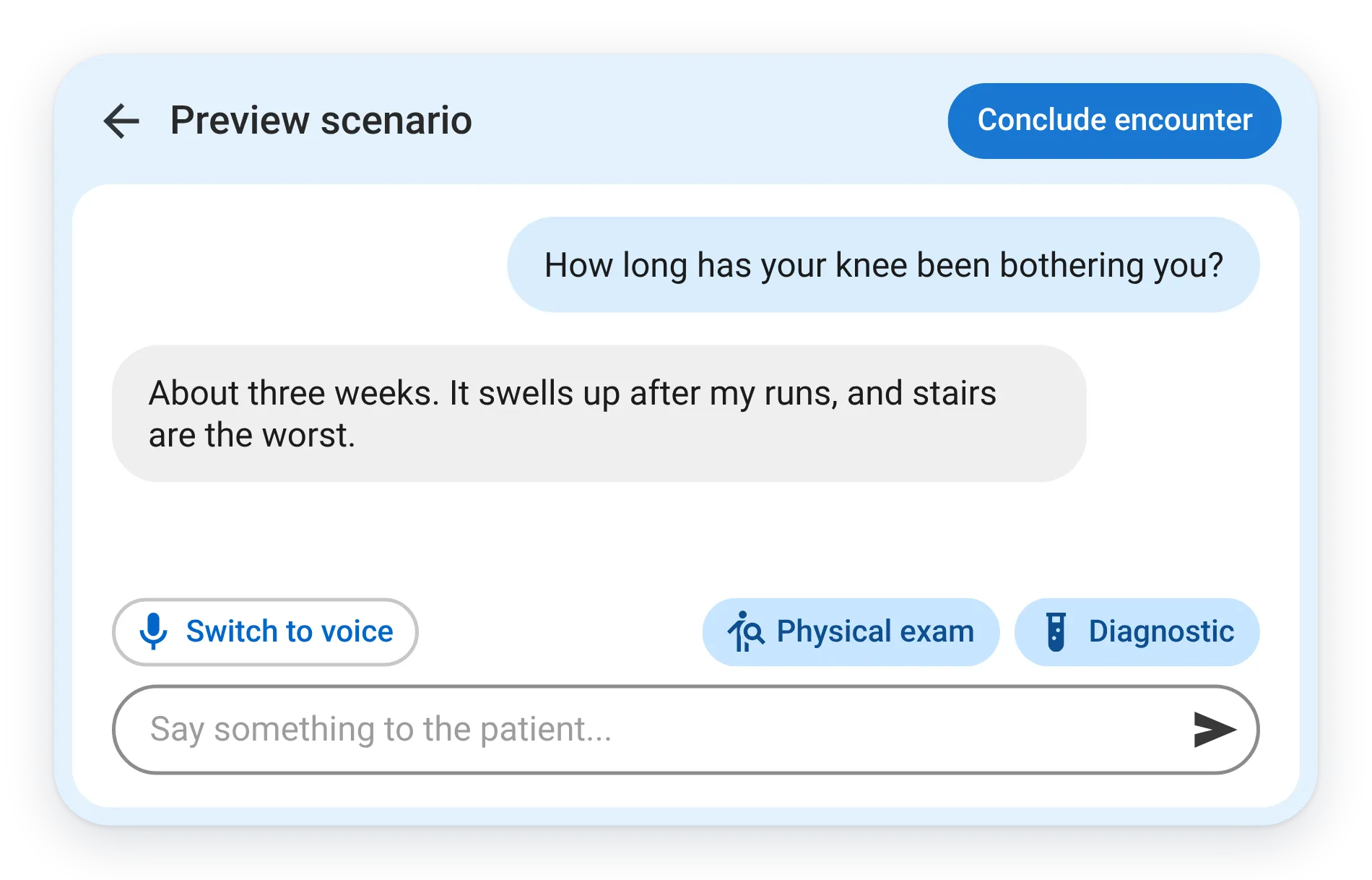
Preview it before your learners do.
Run the case yourself, as far as you like: ask a few questions, order a test, or go all the way to feedback. The patient's answers are grounded in the details you wrote, and anything you didn't specify is generated on the fly, consistent with the diagnosis.
If something's off, edit the case and preview again. When it's ready, assign it to a course with the rubric you want.
Share with your team
Case scenarios fact sheet
How case creation works, for colleagues or your curriculum committee.