
Physical exam
Learners primarily interact with virtual patients via text or voice-based conversations, but since they’re virtual, you can’t directly interact or visually inspect patients like you would in the real world.
The physical exam offers a way for the learner to check vitals, inspect areas, and perform physical exam tests, receiving textual or image results.
Sapient Clinician’s physical exam feature is designed to test learners’ decision-making about what areas to inspect and what tests to perform, and it isn’t designed to be a substitute for real-world practice.
Stages of the physical exam
Section titled “Stages of the physical exam”The physical exam is split into two stages:
- The routine exam is performed first and includes standard, readily apparent findings like the patient’s vitals, general appearance, and overall areas like heart and lungs. You can think of this as the “bird’s-eye view,” findings that you want learners to have early on without needing to be explicitly asked for.
- Follow-up physical exam tests come after, and must be explicitly asked for by the learner. Since the routine exam may not reveal everything, learners are expected to perform follow-up tests to inspect more closely or perform focused checks.
These two stages correspond to the left and right sides of the “Physical exam” page in the scenario creation form.
1. Routine physical exam
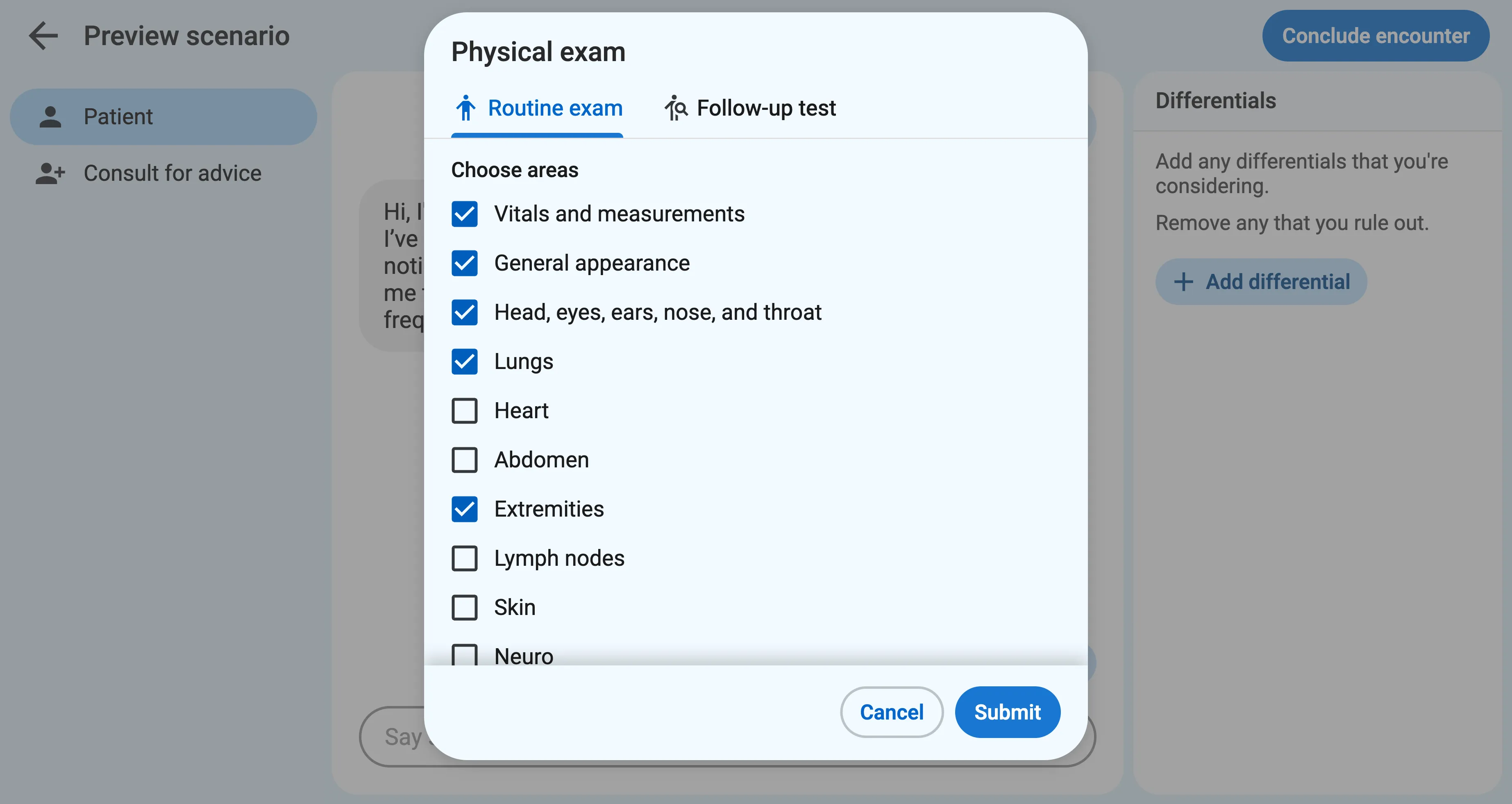
Section titled “1. Routine physical exam”During the encounter, when the learner first clicks the “Physical exam” button, they are asked to select the areas to include in the routine physical exam, such as Vitals, General appearance, HEENT, etc.
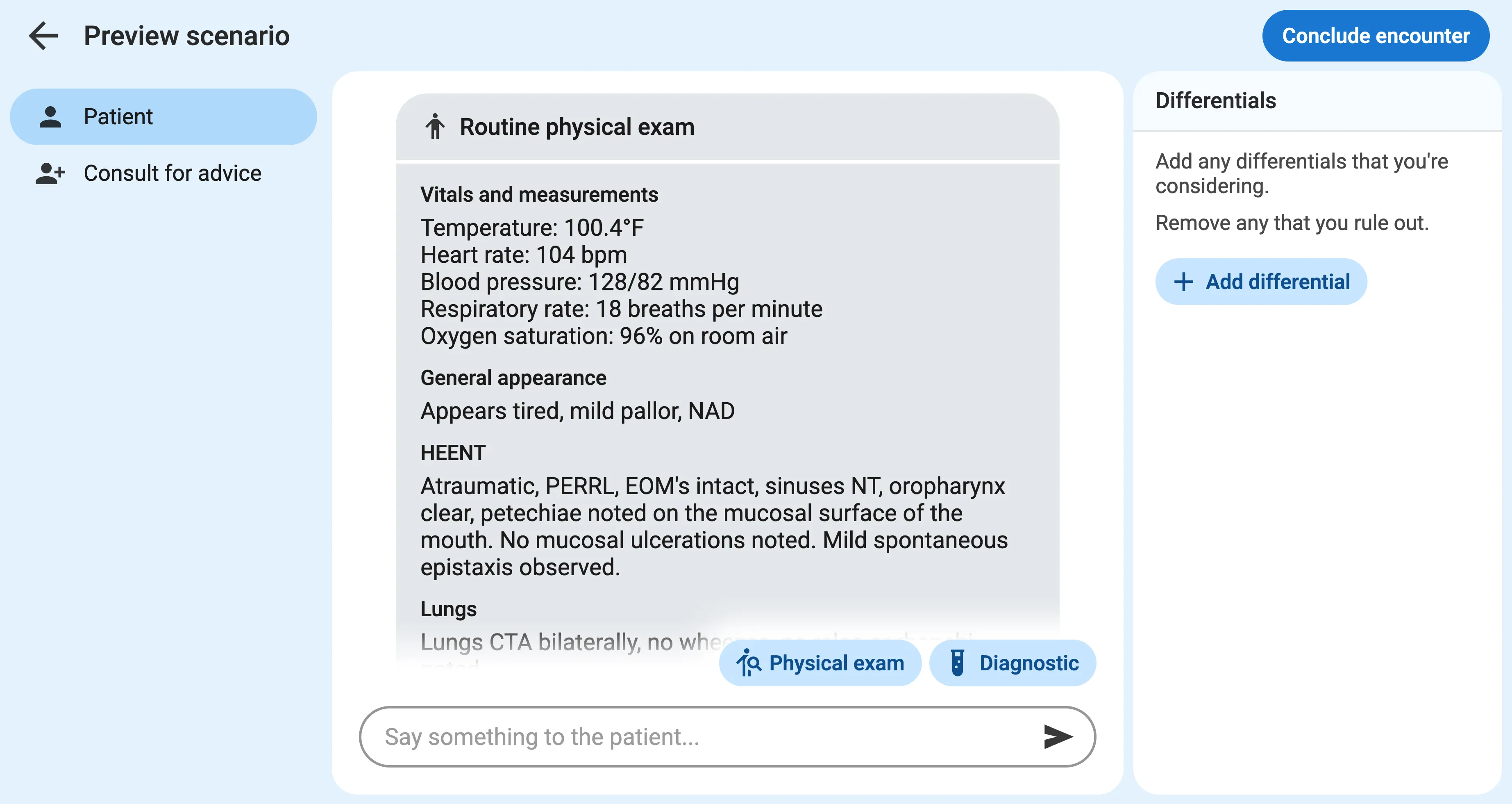
These findings are given to the learner verbatim, exactly as they appear in the scenario creation form.
2. Follow-up physical exam tests
Section titled “2. Follow-up physical exam tests”After the routine exam, the learner can perform follow-up physical exam tests to investigate further. These could be specific tests, like “McBurney’s point tenderness”, palpation, or closer inspections that weren’t covered in the routine physical.
By default, the learner can ask for any physical exam test even if they weren’t specified in advance in the scenario form, and the findings will be automatically generated on the fly.
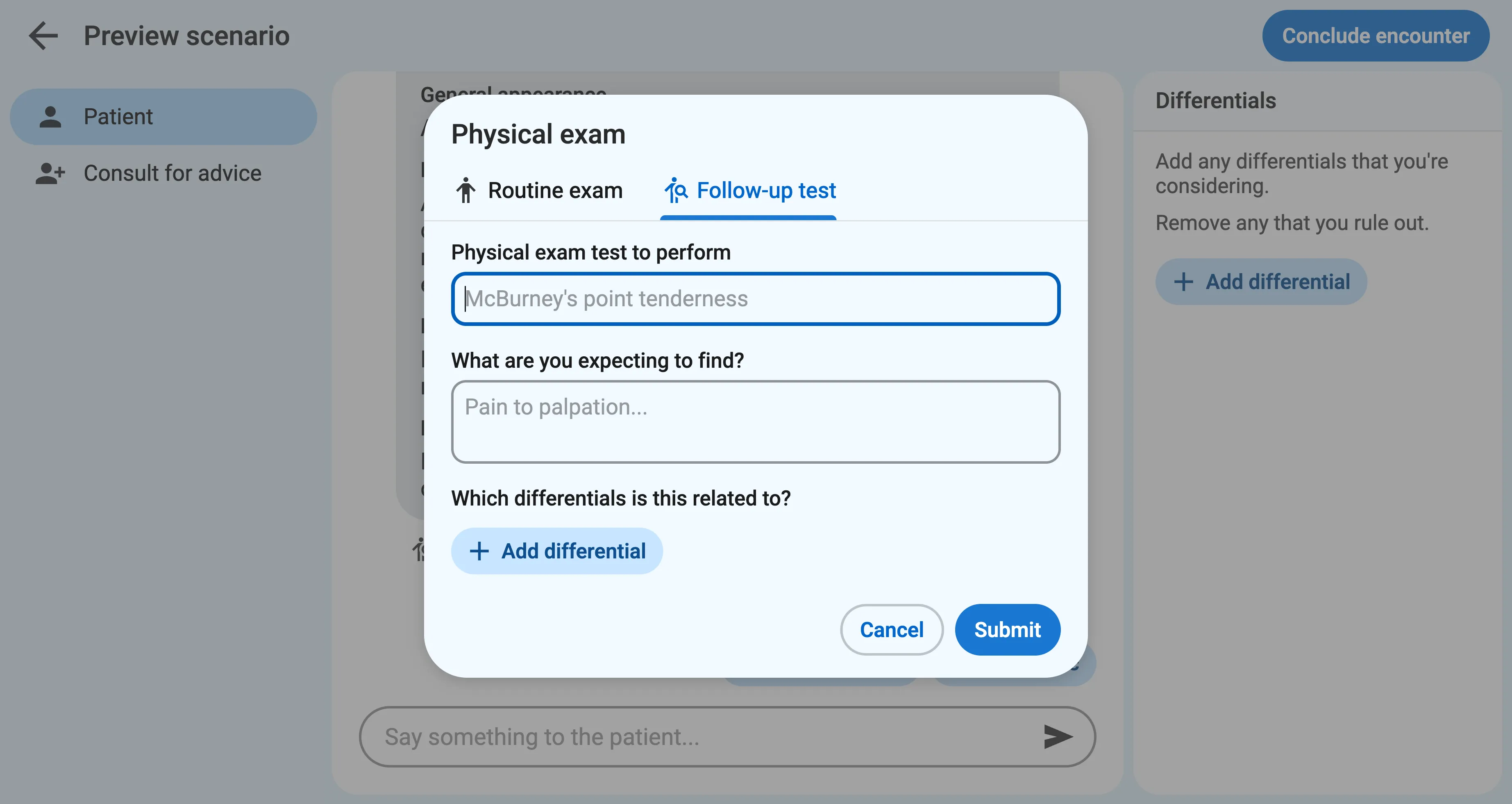
Sapient Clinician will ask the learner to explain what they’re expecting to find and list any related differentials. This will appear in the final transcript and helps reveal their clinical reasoning process.
Images
Section titled “Images”By default, the results of physical exam tests are reported textually, but you can upload images instead of, or in addition to, the textual findings.