
Diagnostics
The diagnostics feature lets learners order labs and imaging during the encounter and receive results in real time. It’s designed to test learners’ clinical reasoning and decision-making about what to order, when to order it, and how to interpret the findings in context.
Specifying diagnostic results
Section titled “Specifying diagnostic results”In the scenario creation form, you can specify the results of any diagnostics or imaging that you expect learners to order, such as CBC, BMP, CMP, urinalysis, chest X-rays, CT scans, ultrasounds, ECGs, cultures, and more. These results will be reported verbatim.
By default, the learner can ask for any diagnostic test even if the results weren’t specified in advance. When this happens, Sapient Clinician will generate a result on the fly that remains consistent with the case.
Ordering diagnostics
Section titled “Ordering diagnostics”During the encounter, the learner can click the “Diagnostic” button to order a diagnostic test.
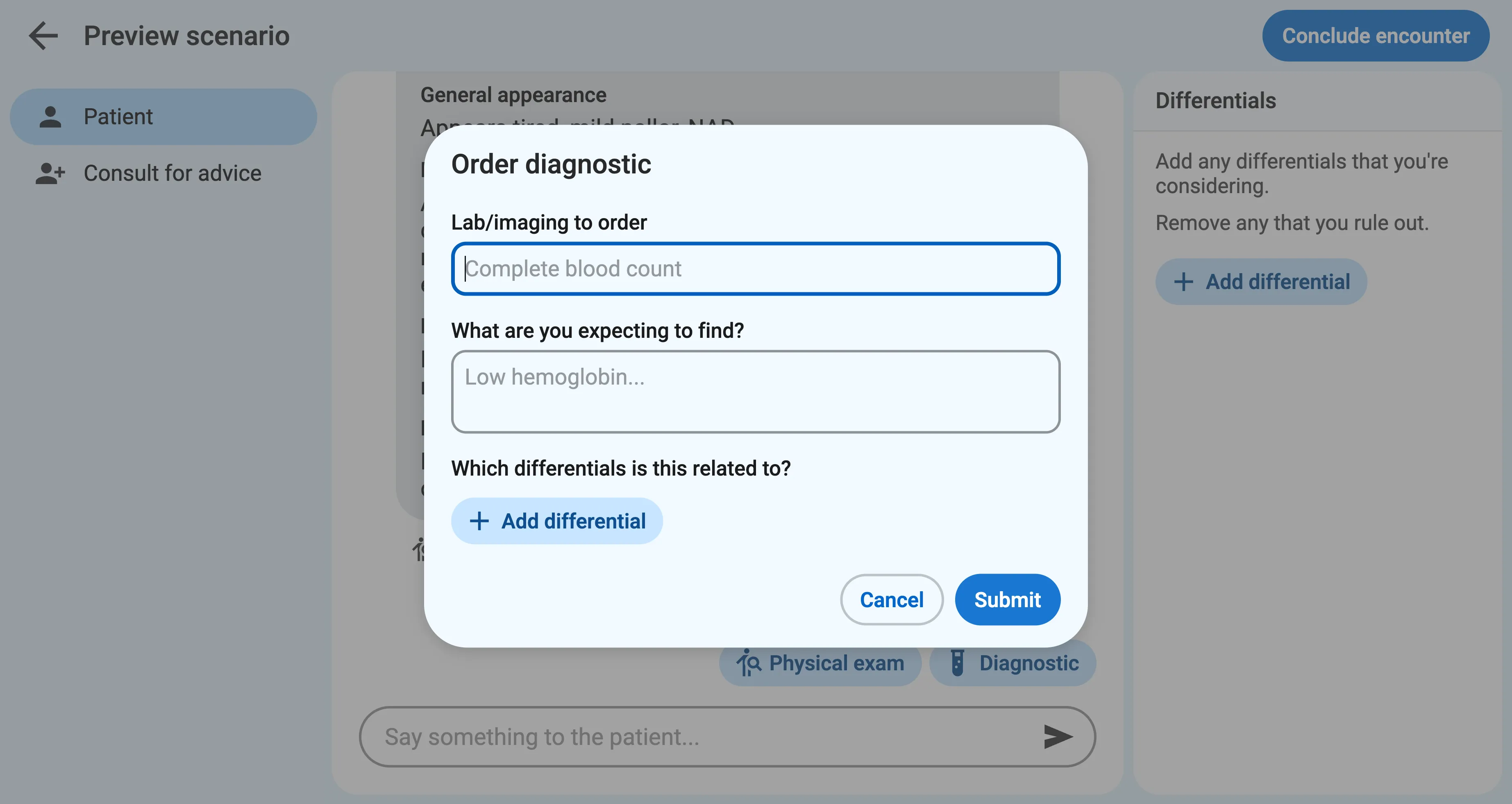
Sapient Clinician will ask the learner to explain what they’re expecting to find and list any related differentials. This will appear in the final transcript and helps reveal their clinical reasoning process.
Diagnostic imaging
Section titled “Diagnostic imaging”By default, the diagnostic test results are reported textually, but you can also include images, such as X-rays, when visual interpretation is part of the case.